 eKhajana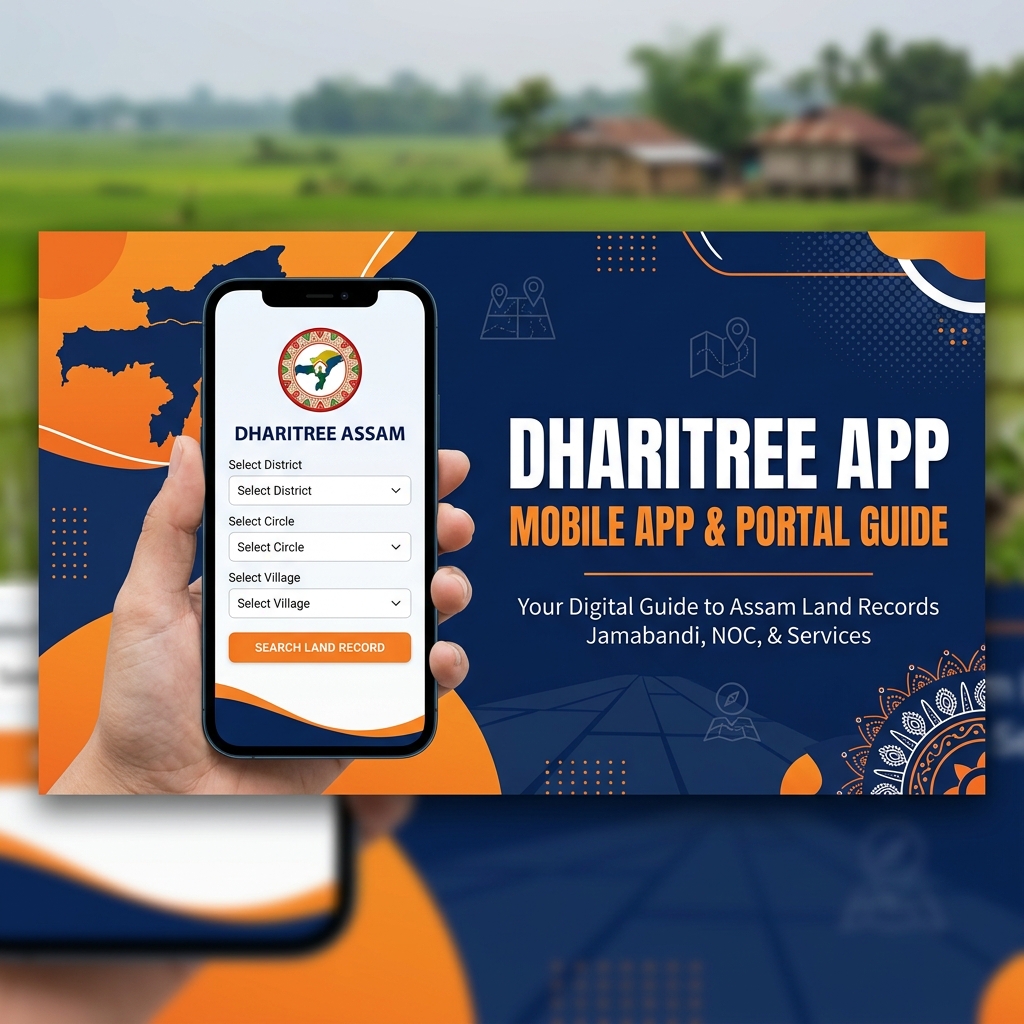
The Revenue and Disaster Management Department of Assam has made land records accessible to citizens through the Dharitree system. Dharitree is available both as an online website and as a mobile application. It allows you to check your land status in seconds.
Here is a complete guide on how to download the Dharitree app, its features, and how you can use it to search your land details on the go.
What is Dharitree?
Dharitree (meaning "Earth" in Assamese) is the official digital land records management system of Assam, developed and maintained by the National Informatics Centre (NIC) in partnership with the Revenue and Disaster Management Department. It was launched as part of the nationwide Digital India Land Records Modernization Programme (DILRMP).
Dharitree stores digitized versions of land records (Jamabandi/RoR) for thousands of villages across all 35 districts of Assam. It replaces the old system where citizens had to physically visit circle offices and wait for clerks to manually pull paper records from musty file cabinets.
Key Features of Dharitree
Through the Dharitree portal and app, you can access these services:
- Jamabandi: Search and view your digital Record of Rights (RoR).
- Land Maps: View village maps showing plot boundaries.
- Cadastral Maps: Check boundary layouts of surveyed villages.
- Nearby Land Offices: Find names and locations of circle offices and Lot Mandals.
- Mutation Status: Check if recent mutations have been updated in the land records.
- Land Classification: Verify whether your plot is classified as Basti, Rupit, Faringati, or another category.
- Owner Verification: Verify ownership before buying land to prevent fraud.
How to Access Dharitree Online (Website)
To access Dharitree on a computer or mobile browser:
- Open any web browser (Chrome recommended).
- Visit: https://revenueassam.nic.in/dhar/
- Enter the Captcha code displayed on the page and click Proceed.
- Select your District, Circle, and Village from the dropdown lists.
- Choose your search method (by Dag Number, Patta Number, or Owner Name) and proceed.
The website is mobile-responsive, meaning it works well on smartphones without needing the dedicated app. It is particularly useful for iOS users since the dedicated app is primarily on Android.
How to Download the Dharitree App?
To access land records from your smartphone, you can download the mobile app:
- Open the Google Play Store on your Android mobile.
- Search for "Dharitri Assam Land Records" in the search bar.
- Look for the app published by the Revenue Department or trusted utility developers.
- Click on Install and open the app.
Note: Currently, the app is primarily available for Android users. iOS users can access the same features by visiting the mobile-responsive website at revenueassam.nic.in/dhar/.
How to Search Land Records on the App?
- Open the Dharitree app on your device.
- Select "Search Jamabandi" from the main menu.
- Select your District, Circle, and Village name from the drop-down lists.
- Choose to search by Dag Number, Patta Number, or Pattadar Name.
- Enter the number or name, type the captcha, and click Search. Your land details will display on your screen instantly.
How to View Land Maps on Dharitree?
One of the most useful features of Dharitree is the ability to view the cadastral (village boundary) map of your land plot:
- Search and open your Jamabandi record as described above.
- On the Jamabandi detail page, look for a button or link labeled "View Map" or "Land Map".
- Click on it. A village map will load showing the boundaries of your plot (Dag) highlighted in a different color.
- You can zoom in and out to see the surrounding plots and their boundaries.
This feature is extremely useful for identifying land boundaries before purchase, resolving neighbor boundary disputes, and verifying that the land area shown on the map matches the area described in the sale deed.
Common Problems & Troubleshooting
- App not installing on Android: Check your Android version. The app may require Android 6.0 or higher. Also, ensure your phone has at least 50MB free storage space.
- Land record not found on Dharitree: Your village's records may not be digitized yet, or the records may be temporarily offline for maintenance. Try the website version or visit the circle office.
- Map not loading / showing blank: The cadastral map service sometimes has server issues. Try refreshing or visiting during off-peak hours. Some villages may not have digital maps yet.
- Data on Dharitree is outdated / shows old owner: Dharitree reflects the state of records at the last update. If you have recently done Namjari, allow 15-30 days for the database to sync. For urgent proof, get a certified copy from the circle office.
Pro Tips for Using Dharitree Effectively
- Before purchasing any land in Assam, always verify the seller's ownership on Dharitree. Enter the Dag and Patta number from the sale deed to confirm the seller's name appears as the current registered owner.
- Save the URL of your Jamabandi record page as a bookmark in your browser for quick future access.
- Use the Pattadar Name search to find all land holdings of a specific person in a village — useful when buying land from someone with multiple plots.
- Compare the land area shown on Dharitree with the area in your sale deed. A significant discrepancy should be investigated before proceeding with any transaction.
- Dharitree data is updated regularly but may not always be real-time. For critical legal matters, always obtain a physically certified copy from the Circle Office.
Frequently Asked Questions
Q: Is Dharitree free to use?
Yes, the Dharitree portal is completely free for citizens. You can search, view, and download/print your Jamabandi without paying any fees. There is no registration or login required to access land records on Dharitree.
Q: How accurate is the data on Dharitree?
Dharitree data is sourced from official government survey records (Chitha) and is updated whenever mutations, corrections, or new surveys are approved. It is generally reliable but may not always reflect the most recent changes. For legal-grade accuracy, cross-check with a physically certified copy from the Circle Office.
Q: Does Dharitree work in all 35 districts of Assam?
Dharitree covers most of the 35 districts of Assam, but the completeness varies. Urban areas and settled rural areas are well-covered. Some remote tribal areas, char lands (river islands), and recently surveyed villages may have incomplete or missing data.
Q: Can I find out how much land tax I owe using Dharitree?
Dharitree shows the recorded annual tax rate (Khajana rate) per bigha for your land classification. However, to find the exact amount owed including dues from previous years, you should check your Sewa Setu e-Khajana account or contact your Mouzadar directly.
Q: Can Dharitree be used to check if my land is disputed or encroached?
Dharitree shows the official recorded ownership. It does not flag active disputes. To check if a particular plot has legal disputes, you should also search at the Civil Court registry and verify with the local revenue circle office if any objections have been filed on the Patta.
Conclusion
Dharitree is one of the most powerful digital tools available to Assam's landowners. Whether you are a farmer checking your plot boundaries, a buyer doing due diligence before purchasing land, or a landowner wanting to verify your records, Dharitree gives you instant access to official government data. Download the app or bookmark the website today, and make it your first stop for any land record inquiry in Assam.
Troubleshooting the Dharitree Mobile App
If you face issues while using the Dharitree application on your phone, try these solutions:
- App Crashing or Blank Screen: Clear the application cache from your phone settings or reinstall the app from the Play Store.
- Details Not Showing After Search: Ensure you enter the exact Dag or Patta numbers. Avoid entering text symbols. If searching by name, try different spellings.
- Network Error Alert: The app requires an active internet connection. If the signal is weak, switch to a mobile-responsive browser and try again.
Frequently Asked Questions
Q: Is the Dharitree app available for iPhones (iOS)?
A: Currently, there is no official Dharitree app in the Apple App Store. iPhone users can access all features by visiting the mobile-responsive website: https://revenueassam.nic.in/dhar/.
Q: Is the information on the Dharitree app updated?
A: Yes, the app connects directly to the central database of the Revenue Department, providing the latest updated land records.
Q: Can I check land maps on the mobile app?
A: Yes, the app provides access to view cadastral land maps for digitized villages in Assam.
Q: Why is my village name not showing in the app?
A: If your village name is missing, it means the digital land records for that village are currently undergoing updates or have not been digitized yet.
Q: Is there any charge for using the Dharitree app?
A: No, the app is completely free to download and use for all citizens.